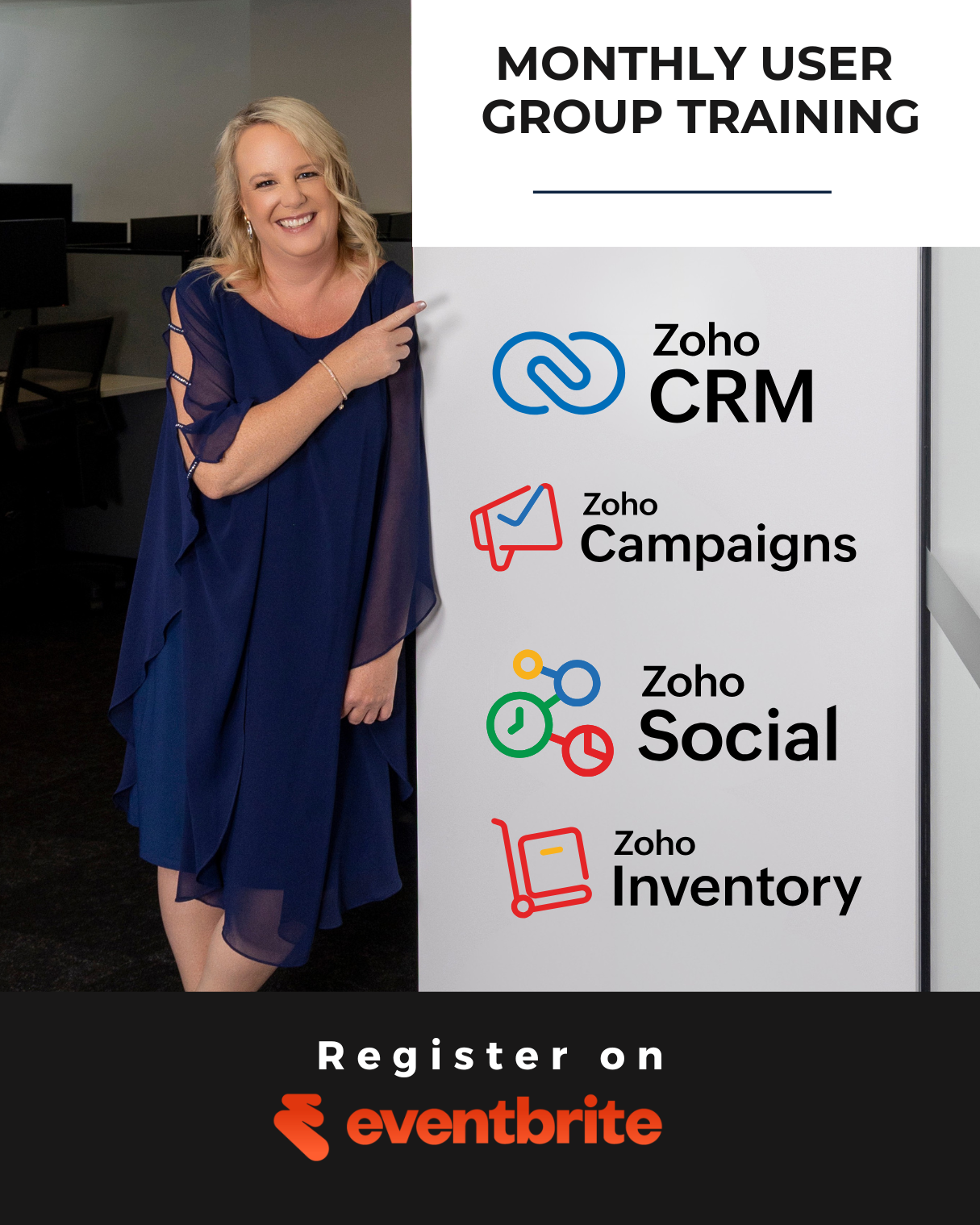
Your Zoho CRM event is coming up, and we’re bringing Claude AI into the mix. At Dynamic Digital Solutions, we’ve designed this hands-on workshop to show you exactly how to connect these two powerful tools.
You’ll walk away with real automation strategies that cut manual work and boost customer engagement. No theory-just practical techniques you can implement immediately.
What You’ll Actually Learn and Do
This workshop teaches you three concrete skills that most businesses execute poorly. First, you’ll learn how to position Zoho CRM as your single source of truth for customer data, then feed that data into Claude AI to generate personalised communications at scale. Most teams treat their CRM as a database and Claude as a separate tool-we show you how to wire them together so information flows one direction and intelligence flows back. Second, you’ll reduce admin work by automating the repetitive tasks that consume significant portions of your team’s week. Research from McKinsey shows that administrative work accounts for roughly 41% of total work time across knowledge workers, and Claude can handle email drafting, follow-up summaries, and internal note capture without human intervention once you set it up correctly.
Third, you’ll build an actual workflow during the workshop that you can implement in your business immediately. This isn’t a lecture series-you’ll see real prompts that work, learn how to modify them for your specific customer interactions, and understand when to let Claude handle tasks versus when to add a human review step.
How to Use Claude for Customer Communication and Lead Qualification
Claude reads your Zoho CRM data and drafts personalised follow-up emails in seconds, but only if you structure your prompts correctly. The workshop covers the Description-Discernment Loop, a repeatable method for getting reliable results from Claude every time. You’ll learn how to describe what you want clearly enough that Claude generates usable output, then how to evaluate that output before it reaches your customer. For lead qualification specifically, Claude analyses interaction history, engagement patterns, and deal size from your CRM to score leads and flag hot prospects-this alone can compress your qualification cycle from days to hours. You’ll also learn Claude model selection for different CRM tasks: Claude Sonnet 4.6 for complex CRM automation and analysis, or Haiku 4.5 for lightweight, fast tasks like summarising notes or drafting templates. The training includes hands-on practice with real customer scenarios so you walk out knowing exactly how to apply this in your own environment.
Automating Your Follow-Up and Service Workflows
Follow-up is where most businesses leak revenue, and Claude handles it better than humans at scale. During the workshop, you’ll see how to set up workflows where Claude automatically generates follow-up sequences based on customer behaviour in Zoho CRM, flags overdue opportunities, and drafts personalised service responses. One practical example: if a customer hasn’t responded to a proposal in five days, Claude can draft a follow-up message that references their specific project details and pain points-all pulled from your CRM. You’ll learn how to implement governance so Claude has clear boundaries about what it can and cannot do, which is essential when you automate customer-facing work. The session also covers how to capture internal notes and summaries from customer conversations so your entire team stays aligned without spending time manually updating records. Teams using AI-assisted summaries reduce follow-up time significantly through automation and better information capture.
What Happens Next in the Workshop
The real value emerges when you move from theory to practice. You’ll work through actual scenarios that match your business, test Claude prompts in a live environment, and refine them based on immediate feedback. This hands-on approach means you leave with workflows you can activate in your Zoho CRM the same week. The workshop also covers how to evaluate Claude’s output for accuracy and appropriateness before it touches your customer data-a critical step that separates safe, effective automation from risky shortcuts. Once you understand these fundamentals, you’re ready to explore how the workshop details and registration process work so you can secure your spot.
How Businesses Use Claude and Zoho CRM Together
Lead Qualification Accelerates When Claude Reads Your Customer History
Lead qualification fails in most businesses because it relies on manual assessment and inconsistent criteria. Claude changes this by reading your entire customer history in Zoho CRM and scoring leads based on engagement patterns, response time, deal size, and interaction frequency. A prospect who opened your email three times, attended a demo, and mentioned budget in their last message receives a different score than someone who went silent after the first touchpoint. Claude processes these signals instantly and ranks leads by conversion probability, which compresses your qualification timeline from days to hours. For customer engagement specifically, Claude drafts follow-up messages that reference exact details from your CRM without generic language that triggers spam filters. If a customer mentioned they’re implementing new software in Q4, Claude remembers that and ties your solution directly to their timeline in the next email. This personalisation increases response rates significantly because prospects feel like they’re talking to someone who actually read their file, not a template. Sales teams that implement this workflow report faster deal progression because qualified leads move through your pipeline with fewer stalled conversations.
Follow-Up Execution Stops Leaking Revenue
The biggest revenue leak happens in follow-up execution, where good intentions meet human capacity limits. Claude handles the volume problem by generating follow-up sequences triggered by specific CRM events: no response after five days, overdue opportunity, proposal viewed but not signed, customer support ticket opened. You set the rules once, and Claude executes them consistently across your entire customer base without fatigue or forgetfulness. Internal note capture consumes the most time because someone must manually summarise every customer call and update the CRM record. Claude listens to customer interactions and generates structured notes that capture next steps, objections, budget, and timeline automatically. Your team then spends two minutes reviewing and approving instead of twenty minutes typing. This matters at scale because a ten-person sales team saves roughly 150 hours per month just on note-taking.
Scaling Your Business Without Scaling Your Headcount
Scaling your business with intelligent automation means you can handle three times the customer volume without hiring three times the staff. Claude handles the repetitive communication work while your team focuses on relationship building and closing deals. Businesses that wire Claude into Zoho CRM grow faster than competitors still managing customer communication manually because they free up capacity for high-value activities. The workshop teaches you exactly how to set up these automations so your team stops drowning in administrative work and starts focusing on revenue-generating conversations. Once you understand how to structure your data and prompts correctly, you’re ready to explore the specific details about attending this training and securing your spot.
How to Attend and What You Need to Know
This workshop runs as a live online session, so you join from your desk, your office, or anywhere with a stable internet connection. The practical format works best when you have access to your Zoho CRM account during the training so you can follow along with real examples and test prompts against your actual customer data. You’ll need a computer with a web browser, a Zoho CRM login, and ideally a second monitor or tablet to view workshop materials while you work in your CRM simultaneously.
What to Bring and How to Prepare
The session includes live demonstrations where Kim Mclachlan, Director of Dynamic Digital Solutions and a Zoho Partner, walks through actual Claude prompts and shows how they integrate with Zoho CRM workflows. Bring a notebook or open a document to capture the specific prompts that work for your business type, because you’ll want to implement these immediately after the workshop ends. Most attendees spend the first 30 minutes setting up their environment and testing their connection, so arrive five minutes early to avoid missing the opening context.
The workshop covers content that applies whether you run a sales team, handle customer service, manage operations, or oversee administrative processes. The practical takeaways shift based on your role, but the core methodology stays consistent across all business functions.
Who Should Attend This Training
Sales teams benefit from Claude’s ability to qualify leads and draft personalised follow-ups at scale. Customer service teams use Claude to summarise interactions and generate responses without manual typing. Operations and administrative staff reduce their workload by automating routine tasks that currently consume hours each week. The training adapts to your specific role, so you walk away with tactics that apply directly to your daily work.
Register Your Spot on Eventbrite
Seats fill quickly for this hands-on training because the live format limits attendance to ensure everyone receives real-time feedback and support during exercises. Register on Eventbrite at https://www.eventbrite.com.au/e/zoho-crm-claude-ai-training-tickets-1993304679956 and you’ll receive confirmation with the exact session link and any last-minute logistics. The refund policy allows cancellations up to seven days before the event if your schedule changes, which removes the financial risk of registering early.
Once you confirm your attendance, check your email for a pre-workshop survey asking about your biggest automation challenge in Zoho CRM and your Claude experience level. This feedback helps the trainer customise examples and pace the content to your group’s needs. The workshop delivers hands-on Claude AI and Zoho CRM training that produces immediate results, and the limited seats create genuine scarcity so registration closes when capacity fills.
Final Thoughts
This Zoho CRM event teaches you a repeatable system for connecting your customer data to Claude AI so automation actually works in your business. You’ll leave the workshop with three concrete skills-positioning Zoho CRM as your single source of truth, automating repetitive communication tasks, and implementing governance so Claude operates safely within your workflows. These aren’t theoretical concepts; you’ll practise them during the live session and activate them in your business immediately.
Implementation starts the week after the workshop when you pick one workflow that currently consumes the most time in your business, whether that’s lead qualification, follow-up execution, or internal note capture. You’ll use the exact prompts and methods you learned during the training to automate that workflow first, then test it with a small group of customers or prospects before rolling it out across your entire database. Most teams see measurable time savings within two weeks because Claude handles the volume problem that humans can’t solve at scale.
Register now at https://www.eventbrite.com.au/e/zoho-crm-claude-ai-training-tickets-1993304679956 to secure your spot before capacity fills. We at Dynamic Digital Solutions built this workshop because we see businesses struggle with the same automation challenges repeatedly, and this training closes that gap by showing you exactly how to structure your data, write prompts that work, and build workflows that your team actually uses. The refund policy protects you if your schedule changes, so registration carries no financial risk.


Zoho CRM + Claude AI Training (Event): Register on Eventbrite — Live Workshop
Your Zoho CRM event is coming up, and we’re bringing Claude AI into the mix. At Dynamic Digital Solutions, we’ve designed this hands-on workshop to show you exactly how to connect these two powerful tools.
You’ll walk away with real automation strategies that cut manual work and boost customer engagement. No theory-just practical techniques you can implement immediately.
What You’ll Actually Learn and Do
This workshop teaches you three concrete skills that most businesses execute poorly. First, you’ll learn how to position Zoho CRM as your single source of truth for customer data, then feed that data into Claude AI to generate personalised communications at scale. Most teams treat their CRM as a database and Claude as a separate tool-we show you how to wire them together so information flows one direction and intelligence flows back. Second, you’ll reduce admin work by automating the repetitive tasks that consume significant portions of your team’s week. Research from McKinsey shows that administrative work accounts for roughly 41% of total work time across knowledge workers, and Claude can handle email drafting, follow-up summaries, and internal note capture without human intervention once you set it up correctly.
Third, you’ll build an actual workflow during the workshop that you can implement in your business immediately. This isn’t a lecture series-you’ll see real prompts that work, learn how to modify them for your specific customer interactions, and understand when to let Claude handle tasks versus when to add a human review step.
How to Use Claude for Customer Communication and Lead Qualification
Claude reads your Zoho CRM data and drafts personalised follow-up emails in seconds, but only if you structure your prompts correctly. The workshop covers the Description-Discernment Loop, a repeatable method for getting reliable results from Claude every time. You’ll learn how to describe what you want clearly enough that Claude generates usable output, then how to evaluate that output before it reaches your customer. For lead qualification specifically, Claude analyses interaction history, engagement patterns, and deal size from your CRM to score leads and flag hot prospects-this alone can compress your qualification cycle from days to hours. You’ll also learn Claude model selection for different CRM tasks: Claude Sonnet 4.6 for complex CRM automation and analysis, or Haiku 4.5 for lightweight, fast tasks like summarising notes or drafting templates. The training includes hands-on practice with real customer scenarios so you walk out knowing exactly how to apply this in your own environment.
Automating Your Follow-Up and Service Workflows
Follow-up is where most businesses leak revenue, and Claude handles it better than humans at scale. During the workshop, you’ll see how to set up workflows where Claude automatically generates follow-up sequences based on customer behaviour in Zoho CRM, flags overdue opportunities, and drafts personalised service responses. One practical example: if a customer hasn’t responded to a proposal in five days, Claude can draft a follow-up message that references their specific project details and pain points-all pulled from your CRM. You’ll learn how to implement governance so Claude has clear boundaries about what it can and cannot do, which is essential when you automate customer-facing work. The session also covers how to capture internal notes and summaries from customer conversations so your entire team stays aligned without spending time manually updating records. Teams using AI-assisted summaries reduce follow-up time significantly through automation and better information capture.
What Happens Next in the Workshop
The real value emerges when you move from theory to practice. You’ll work through actual scenarios that match your business, test Claude prompts in a live environment, and refine them based on immediate feedback. This hands-on approach means you leave with workflows you can activate in your Zoho CRM the same week. The workshop also covers how to evaluate Claude’s output for accuracy and appropriateness before it touches your customer data-a critical step that separates safe, effective automation from risky shortcuts. Once you understand these fundamentals, you’re ready to explore how the workshop details and registration process work so you can secure your spot.
How Businesses Use Claude and Zoho CRM Together
Lead Qualification Accelerates When Claude Reads Your Customer History
Lead qualification fails in most businesses because it relies on manual assessment and inconsistent criteria. Claude changes this by reading your entire customer history in Zoho CRM and scoring leads based on engagement patterns, response time, deal size, and interaction frequency. A prospect who opened your email three times, attended a demo, and mentioned budget in their last message receives a different score than someone who went silent after the first touchpoint. Claude processes these signals instantly and ranks leads by conversion probability, which compresses your qualification timeline from days to hours. For customer engagement specifically, Claude drafts follow-up messages that reference exact details from your CRM without generic language that triggers spam filters. If a customer mentioned they’re implementing new software in Q4, Claude remembers that and ties your solution directly to their timeline in the next email. This personalisation increases response rates significantly because prospects feel like they’re talking to someone who actually read their file, not a template. Sales teams that implement this workflow report faster deal progression because qualified leads move through your pipeline with fewer stalled conversations.
Follow-Up Execution Stops Leaking Revenue
The biggest revenue leak happens in follow-up execution, where good intentions meet human capacity limits. Claude handles the volume problem by generating follow-up sequences triggered by specific CRM events: no response after five days, overdue opportunity, proposal viewed but not signed, customer support ticket opened. You set the rules once, and Claude executes them consistently across your entire customer base without fatigue or forgetfulness. Internal note capture consumes the most time because someone must manually summarise every customer call and update the CRM record. Claude listens to customer interactions and generates structured notes that capture next steps, objections, budget, and timeline automatically. Your team then spends two minutes reviewing and approving instead of twenty minutes typing. This matters at scale because a ten-person sales team saves roughly 150 hours per month just on note-taking.
Scaling Your Business Without Scaling Your Headcount
Scaling your business with intelligent automation means you can handle three times the customer volume without hiring three times the staff. Claude handles the repetitive communication work while your team focuses on relationship building and closing deals. Businesses that wire Claude into Zoho CRM grow faster than competitors still managing customer communication manually because they free up capacity for high-value activities. The workshop teaches you exactly how to set up these automations so your team stops drowning in administrative work and starts focusing on revenue-generating conversations. Once you understand how to structure your data and prompts correctly, you’re ready to explore the specific details about attending this training and securing your spot.
How to Attend and What You Need to Know
This workshop runs as a live online session, so you join from your desk, your office, or anywhere with a stable internet connection. The practical format works best when you have access to your Zoho CRM account during the training so you can follow along with real examples and test prompts against your actual customer data. You’ll need a computer with a web browser, a Zoho CRM login, and ideally a second monitor or tablet to view workshop materials while you work in your CRM simultaneously.
What to Bring and How to Prepare
The session includes live demonstrations where Kim Mclachlan, Director of Dynamic Digital Solutions and a Zoho Partner, walks through actual Claude prompts and shows how they integrate with Zoho CRM workflows. Bring a notebook or open a document to capture the specific prompts that work for your business type, because you’ll want to implement these immediately after the workshop ends. Most attendees spend the first 30 minutes setting up their environment and testing their connection, so arrive five minutes early to avoid missing the opening context.
The workshop covers content that applies whether you run a sales team, handle customer service, manage operations, or oversee administrative processes. The practical takeaways shift based on your role, but the core methodology stays consistent across all business functions.
Who Should Attend This Training
Sales teams benefit from Claude’s ability to qualify leads and draft personalised follow-ups at scale. Customer service teams use Claude to summarise interactions and generate responses without manual typing. Operations and administrative staff reduce their workload by automating routine tasks that currently consume hours each week. The training adapts to your specific role, so you walk away with tactics that apply directly to your daily work.
Register Your Spot on Eventbrite
Seats fill quickly for this hands-on training because the live format limits attendance to ensure everyone receives real-time feedback and support during exercises. Register on Eventbrite at https://www.eventbrite.com.au/e/zoho-crm-claude-ai-training-tickets-1993304679956 and you’ll receive confirmation with the exact session link and any last-minute logistics. The refund policy allows cancellations up to seven days before the event if your schedule changes, which removes the financial risk of registering early.
Once you confirm your attendance, check your email for a pre-workshop survey asking about your biggest automation challenge in Zoho CRM and your Claude experience level. This feedback helps the trainer customise examples and pace the content to your group’s needs. The workshop delivers hands-on Claude AI and Zoho CRM training that produces immediate results, and the limited seats create genuine scarcity so registration closes when capacity fills.
Final Thoughts
This Zoho CRM event teaches you a repeatable system for connecting your customer data to Claude AI so automation actually works in your business. You’ll leave the workshop with three concrete skills-positioning Zoho CRM as your single source of truth, automating repetitive communication tasks, and implementing governance so Claude operates safely within your workflows. These aren’t theoretical concepts; you’ll practise them during the live session and activate them in your business immediately.
Implementation starts the week after the workshop when you pick one workflow that currently consumes the most time in your business, whether that’s lead qualification, follow-up execution, or internal note capture. You’ll use the exact prompts and methods you learned during the training to automate that workflow first, then test it with a small group of customers or prospects before rolling it out across your entire database. Most teams see measurable time savings within two weeks because Claude handles the volume problem that humans can’t solve at scale.
Register now at https://www.eventbrite.com.au/e/zoho-crm-claude-ai-training-tickets-1993304679956 to secure your spot before capacity fills. We at Dynamic Digital Solutions built this workshop because we see businesses struggle with the same automation challenges repeatedly, and this training closes that gap by showing you exactly how to structure your data, write prompts that work, and build workflows that your team actually uses. The refund policy protects you if your schedule changes, so registration carries no financial risk.
Categories
Recent Posts
Recent Comments
Archives
Categories
Recent Post
Zoho CRM + Claude AI Training (Event):
July 26, 2026 4:40 amZoho CRM for Tradies — Promote CrewDone
July 22, 2026 9:09 pmZoho ONE Rollout Plan for Tradies and
April 11, 2026 12:09 pmTags